
 Hyundai Accent: Transmitter Code Registration (Using GDS)
Hyundai Accent RB (2010-2018) Service Manual / Body Electrical System / Keyless Entry / Transmitter. Repair procedures / Transmitter Code Registration (Using GDS)
| 1. |
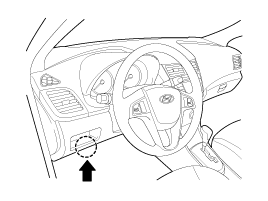
Connect the DLC cable of GDS to the data link connector (16 pins)
in driver side crash pad lower panel, turn the power on GDS.
|
| 2. |
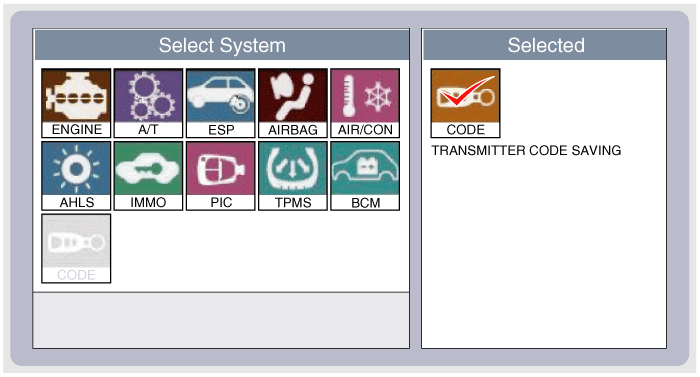
Select the vehicle model and then do "CODE SAVING"
|
| 3. |
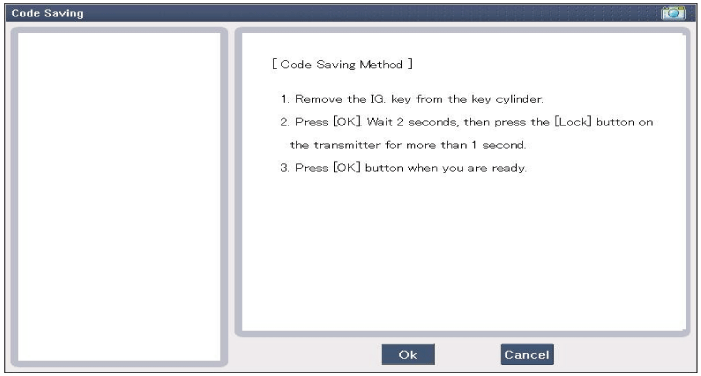
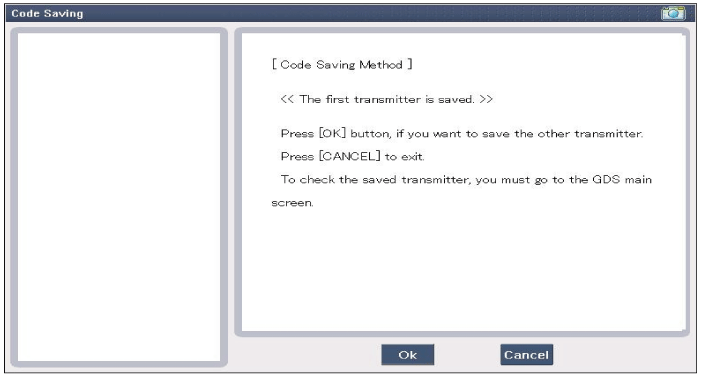
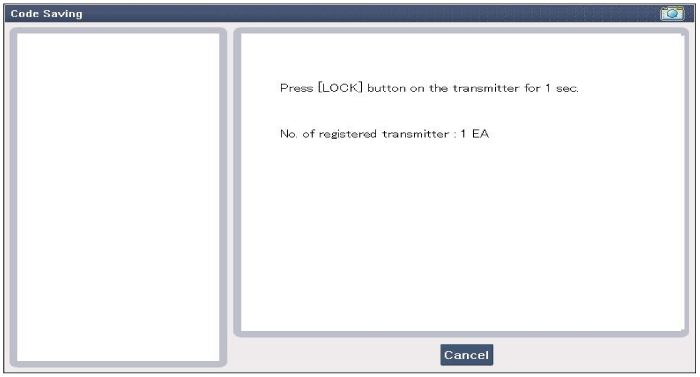
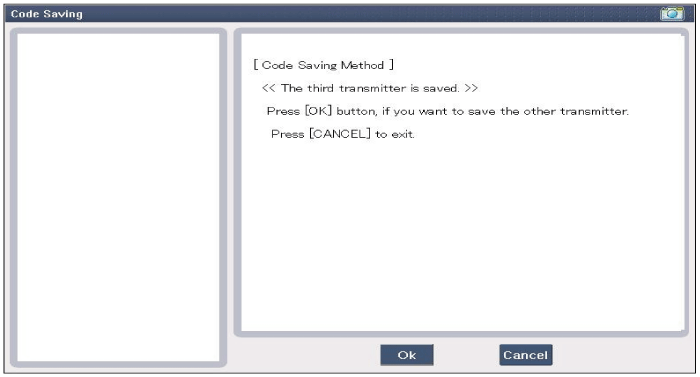
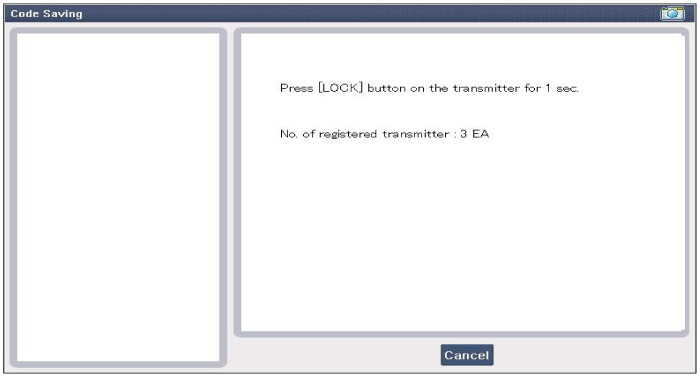
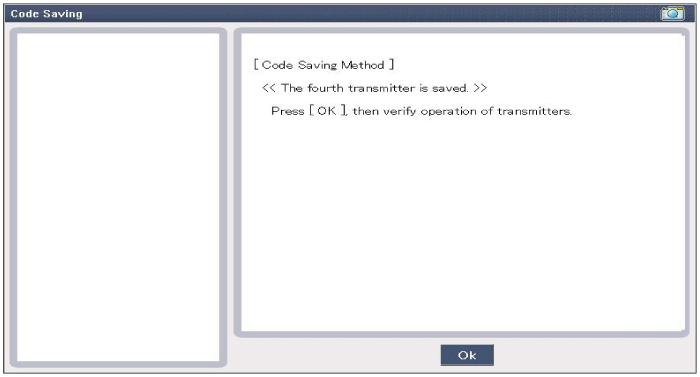
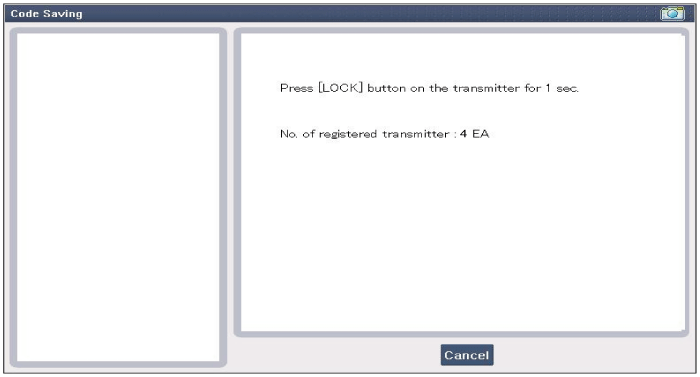
After selecting "CODE SAVING" menu, button "ENTER" key, then the
screen will be shown as below.
|
| 4. |
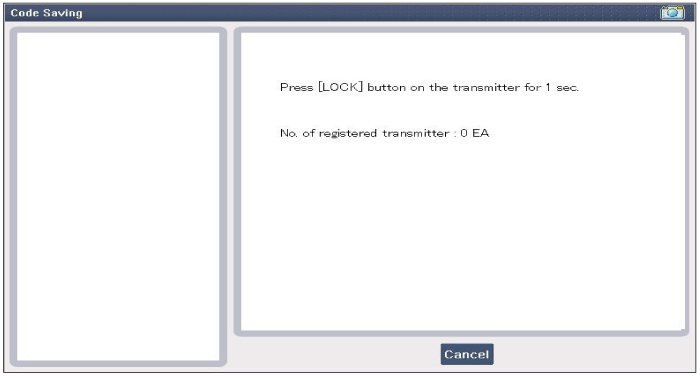
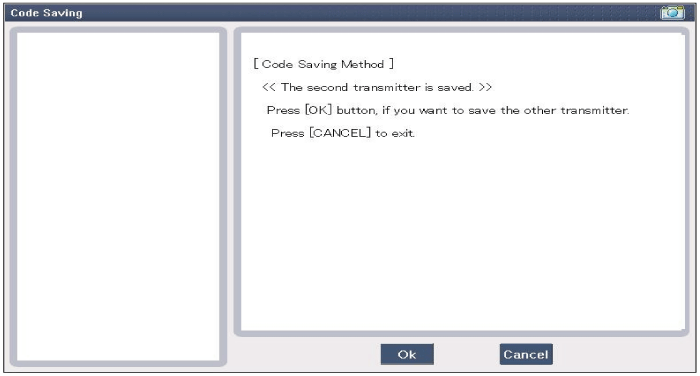
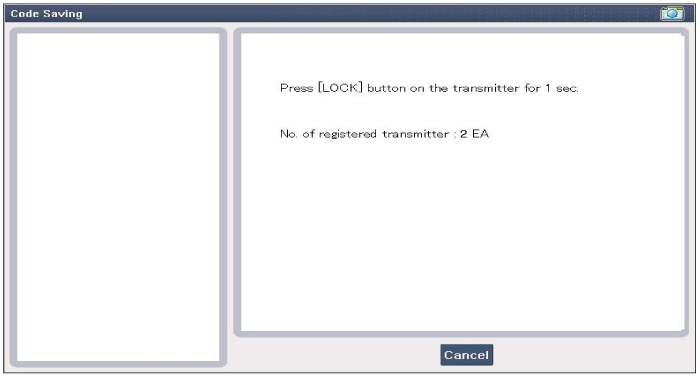
After removing the ignition key from key cylinder, push "ENTER"
key to proceed to the next mode for code saving. Follow steps 1 to 4
and then code saving is completed.
|
 Inspection
1.
Check that the red light flickers when the door lock or unlock
button is pressed on the transmitter.
2.
Remove the battery and check vol ...

See also:
Light bulbs
WARNING - Working on the lights
Prior to working on the light, firmly apply the parking brake, ensure that
the ignition switch is turned to the LOCK position and turn off the lights to avoid
sud ...
Accelerator Position Sensor
(APS). Schematic Diagrams
Circuit Diagram
(M/T)
(A/T)
...
Inhibitor Switch. Description and Operation
Description
Inhibitor Switch monitors the lever's position(PRND) and is used to control
gear setting signals.
...
Hyundai Accent Manuals

В© 2011-2026 Copyright www.hamanual.com